Your Private AI
Admin for WordPress
The first AI-powered site assistant that runs entirely in your browser. No cloud. No API keys. No data ever leaves your device.
 Built during CloudFest Hackathon 2026
 in 3 days
Why Agentic Admin for WP
AI that respects your privacy
and your wallet
Your Data Stays Yours
The AI model runs directly in your browser using WebGPU. Zero data transmission to external servers. GDPR compliant by design — because there's nothing to comply with when no data ever leaves.
Zero Cost AI
No GPU servers. No per-request fees. No monthly subscriptions. The AI runs on your own hardware. A capability that would cost $1,000+/month with cloud AI costs you nothing.
One-Click Setup
Install the plugin. Open the page. The model downloads once (~1.2 GB) and stays cached. No API keys, no accounts, no external services.
Actually Intelligent
This isn't a scripted chatbot. Agentic Admin for WP uses a ReAct reasoning loop — the AI observes your site, reasons about what it finds, and adapts its approach step by step.
How It Works
AI that reasons, not just responds
The AI decides what to do based on what it discovers — not from a fixed script.
You type a question
"Something is wrong with my site"
Message Router analyzes intent
Determines which abilities to invoke
ReAct Agent starts reasoning
Observe → Reason → Act — adapting at each step
Check site health
Database is 2.5 GB, no cache configured
Optimize database
Optimized 15 tables, freed 125 MB
Check for errors
No critical errors in debug.log
AI summarizes findings
Clear, actionable report with recommendations
thinking...
Let me check site health first
action: site-health-check
→ Database: 2.5 GB, no cache configured
action: db-optimize
→ Optimized 15 tables, freed 125 MB
action: error-log-read
→ No critical errors found
Capabilities
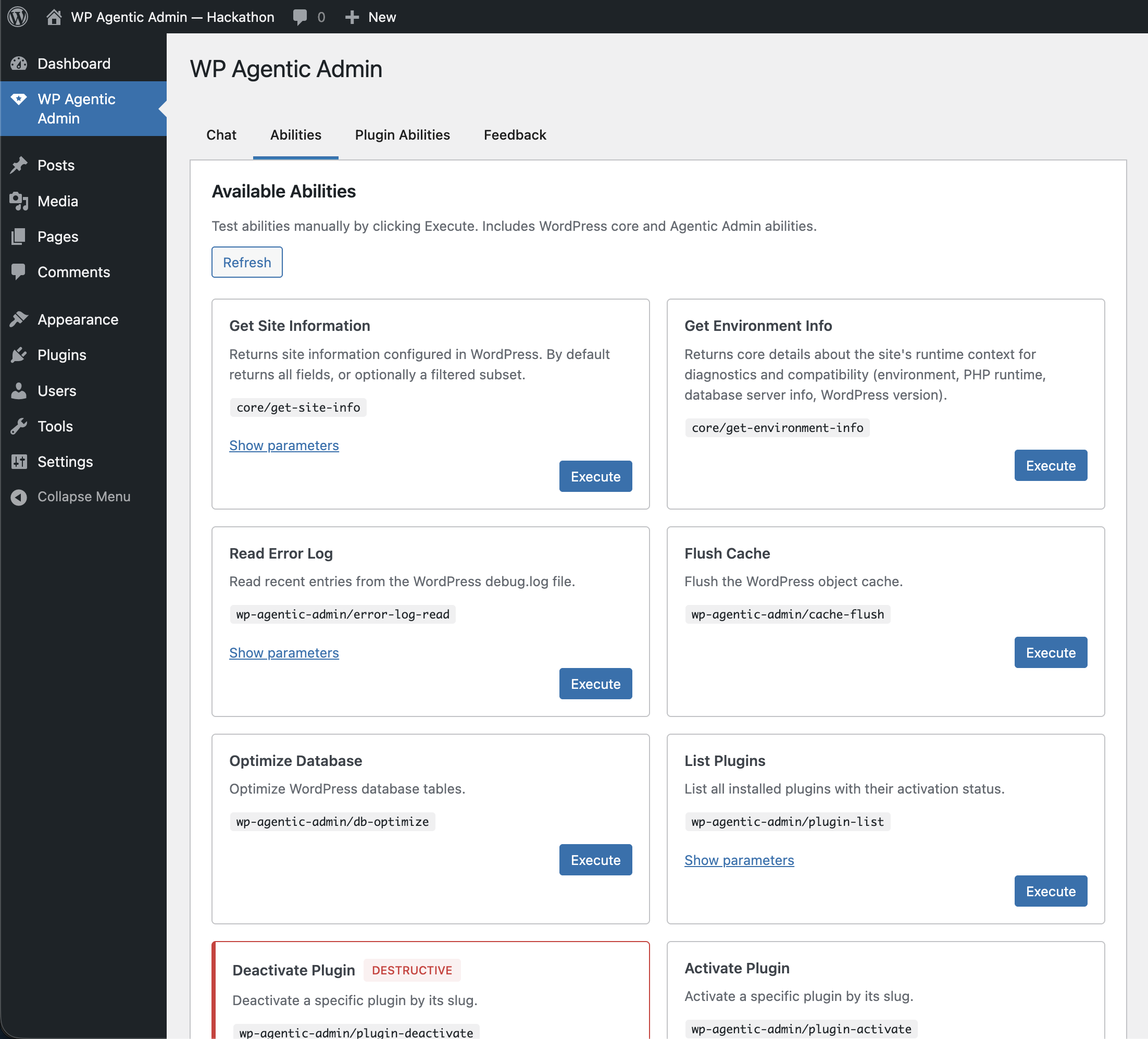
30+ Built-In Abilities
From diagnostics to security scans, database maintenance to plugin management — every tool a WordPress admin needs, accessible through natural language.
Site Health Check
Comprehensive WordPress health status at a glance
Error Log Reader
Read and search debug.log with keyword and severity filters
Update Checker
Scan for pending WordPress, plugin, and theme updates
Disk Usage
Check wp-content storage consumption
OPcache Status
Inspect PHP opcode cache configuration
Backup Verification
Confirm your backup plugin is active and recent
Cache Flush
Clear WordPress object cache instantly
Database Optimization
Optimize MySQL/MariaDB tables and reclaim space
Transient Cleanup
Purge expired or all transients
Revision Cleanup
Remove old post revisions with preview before delete
Rewrite Flush
Regenerate permalink rewrite rules
Security Scan
Audit debug mode, file permissions, and common vulnerabilities
Core Checksum Verification
Detect tampered WordPress core files
Plugin Checksum Verification
Verify plugin file integrity against WordPress.org
Database Malware Scan
Detect injected scripts, base64 payloads, suspicious accounts
Read-Only SQL Queries
Run SELECT queries safely against your database
Plugin Manager
List, activate, and deactivate plugins by name
Theme Browser
View all installed themes and their status
User Directory
List users with roles and capabilities
Content Browser
Browse posts by type, status, and author
Comment Statistics
Get discussion metrics at a glance
Cron Inspector
View scheduled events with overdue detection
File Editor
Edit WordPress files with automatic backup before changes
Web Search
Search documentation and troubleshooting guides
Block Browser
Explore available Gutenberg blocks
Workflows
Complex operations, one command
Each workflow runs multiple abilities in sequence, with conditional steps that adapt based on what each step discovers.
Site Cleanup
Flush cache, optimize database, check health
Performance Check
Health diagnostics + error log review
Plugin Audit
List all plugins + cross-reference with site health
Database Maintenance
Optimize tables + flush cache
Security Audit
Verify core files, plugin files, and scan for compromise
Transparency
Thinking Out Loud
Watch the AI reason in real time. Thinking blocks stream live in the chat, showing you exactly how the AI arrives at its decisions. Full transparency into the reasoning process — no black box.
When the intent is clear — like "flush the cache" — thinking is automatically skipped for faster execution.
The user reports their site feels slow. I should start with a site health check to get an overview, then examine the error log for any performance-related warnings. If the database is large, I'll optimize it...
Local Models
Powered by Local AI
Choose the model that fits your hardware. Both run entirely in your browser via WebGPU — no server required.
Qwen 3 1.7B
DefaultEnd-to-end accuracy
on WordPress tasks
Qwen 2.5 7B
OptionalEnd-to-end accuracy
on WordPress tasks
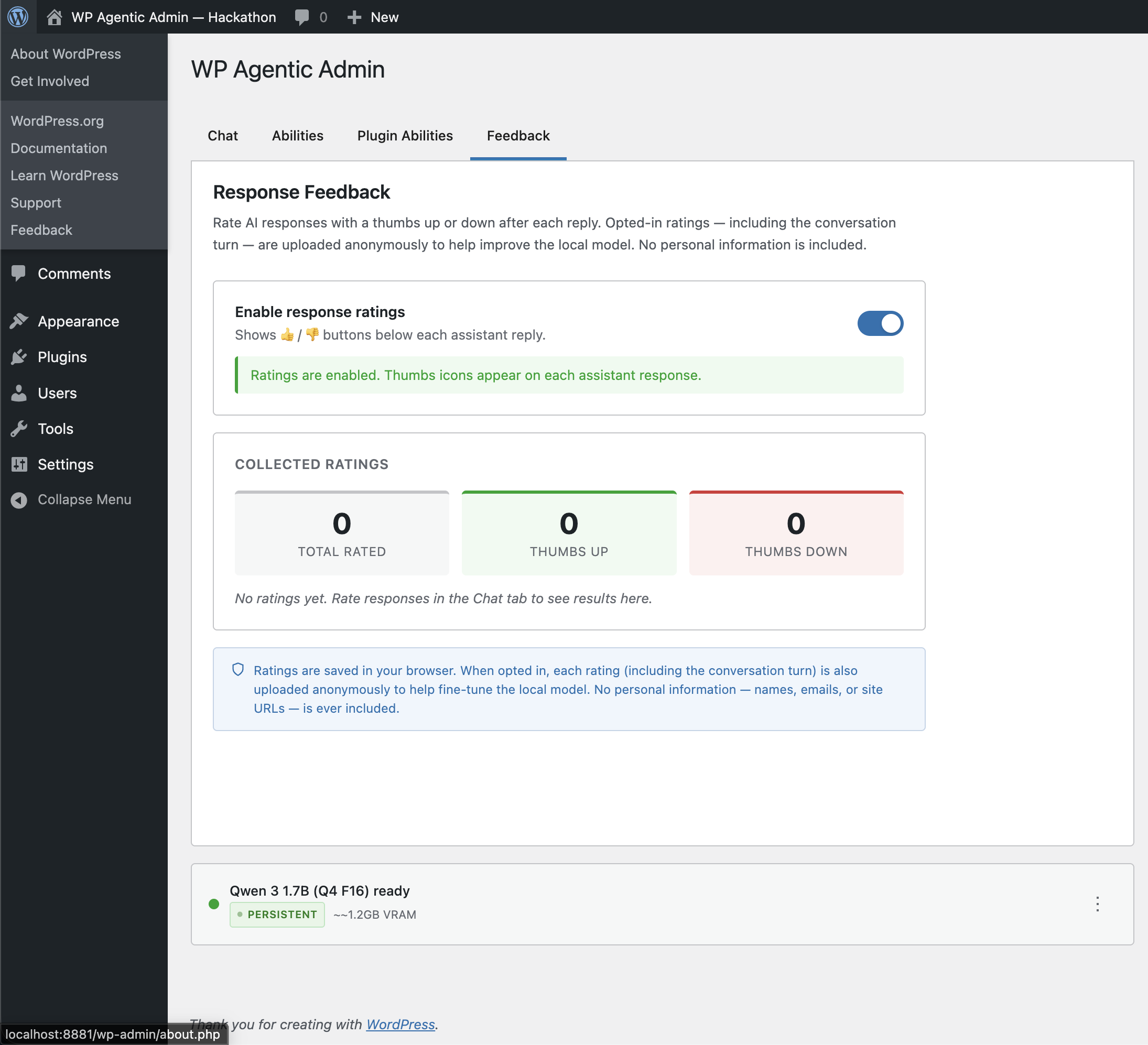
Service Worker Persistence
The model stays loaded in GPU memory across page navigations. Navigate from Posts to Settings to Plugins — the AI is instantly available on every page. No reloading, no waiting.
Comparison
See the difference
| Agentic Admin for WP | Cloud AI Assistants | WP-CLI Scripts | |
|---|---|---|---|
| Privacy | 100% local | Data sent to cloud | Local but no reasoning |
| Cost | Free | $20+/month | Free but manual |
| Setup | One click | API keys, accounts | Terminal knowledge |
| Reasoning | Adaptive (ReAct) | Yes | None (rigid scripts) |
| WordPress Native | Abilities API | Generic | CLI only |
| Extensible | Plugin API | No | Limited |
| Multi-Step | Automatic workflows | Manual prompting | Manual scripting |
| Accessible From | Any admin page | Separate app | Terminal |
Safety
Safe by Default
Confirmation required
For all destructive actions — deactivating plugins, deleting revisions, editing files
Automatic backups
Before every file modification
Read-only database
Only SELECT, SHOW, and DESCRIBE allowed
10-iteration safety limit
On reasoning loops — prevents runaway AI
Repeated call detection
Prevents the AI from getting stuck in loops
Works Without WebGPU Too
No compatible GPU? Configure an external OpenAI-compatible provider as a fallback, or connect to a local Ollama instance on your network. The plugin adapts to your setup.
For Developers
Built on WordPress Standards
Built on the WordPress Abilities API introduced in WordPress 6.9. Not a parallel system bolted onto WordPress — a native integration.
Extensible by Design
Third-party plugins can register their own abilities. The AI automatically discovers and can invoke any registered ability. No router changes, no manifest updates — just register and go.
register_agentic_ability( 'my-plugin/my-ability', array(
    'label'       => 'My Custom Ability',
    'description' => 'Does something useful',
    'callback'    => 'my_ability_callback',
    'input_schema' => array( /* ... */ ),
) );
Requirements
What you need
Quick Start
Get started in 60 seconds
Upload and activate the plugin
Click Agentic Admin for WP in the admin menu
Wait for the one-time model download
Type your first question: "check my site health"
That's it. Your private AI admin is ready.
Your Private AI Admin
is Ready
Launch a live demo instantly in WordPress Playground — no installation required.